
by Broward Bass
Know how the box sounds
before you cut the wood.
Cabinex models a subwoofer enclosure from the driver's Thiele/Small parameters — response, excursion, impedance, port air speed, group delay — then turns the design you settled on into a dimensioned panel list you can take to the saw.
Live demo — drag something
Real physics, running in your browser. Same engine as the app.
Placement & room
Filters
The enclosure — drag to rotate, scroll to zoom
Sized from the alignment on the left — external , net in . The app turns this into a cut list.
Frequency response
Cone excursion — dashed line is Xmax
Max SPL — whichever runs out first, Xmax or Pe
Impedance
Port air speed — dashed line is chuffing
Group delay
Phase
This is a demo, but sealed and ported are the whole model — same engine, same curves, same cabinet, same numbers you'd get inside. What it doesn't have is the app around it: the full driver library and datasheet import, bandpass and passive-radiator alignments, saved projects and comparisons, CSV export, and the printable cut list with a panel diagram that already adds up.
Get the full thingFrom datasheet to saw
Three steps, and the last one is a list of panels with real dimensions on it.
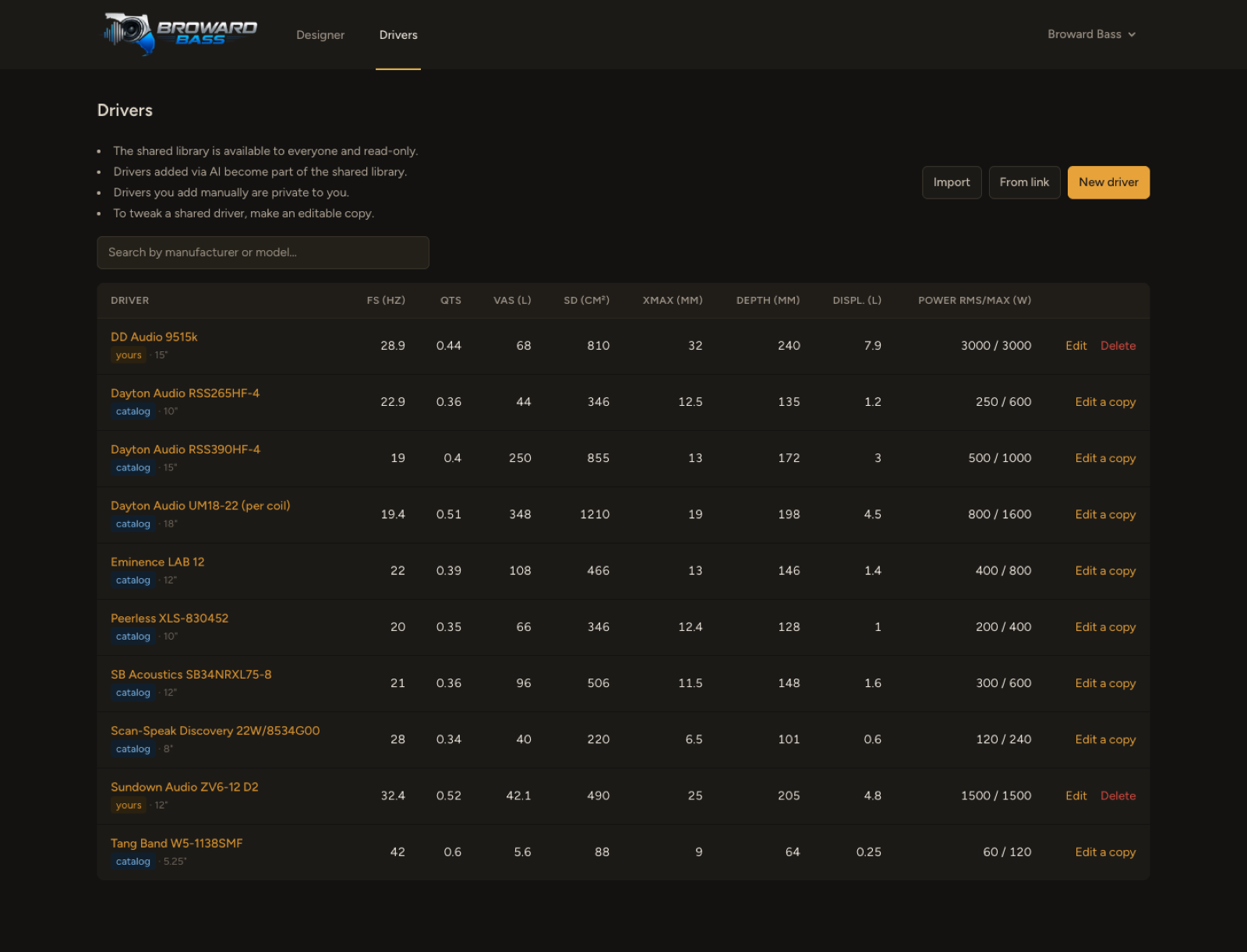
Start from the driver
A shared library of common drivers, plus your own. Paste a datasheet or a product link and the T/S parameters are read out of it. Anything you add by hand stays private to your account.
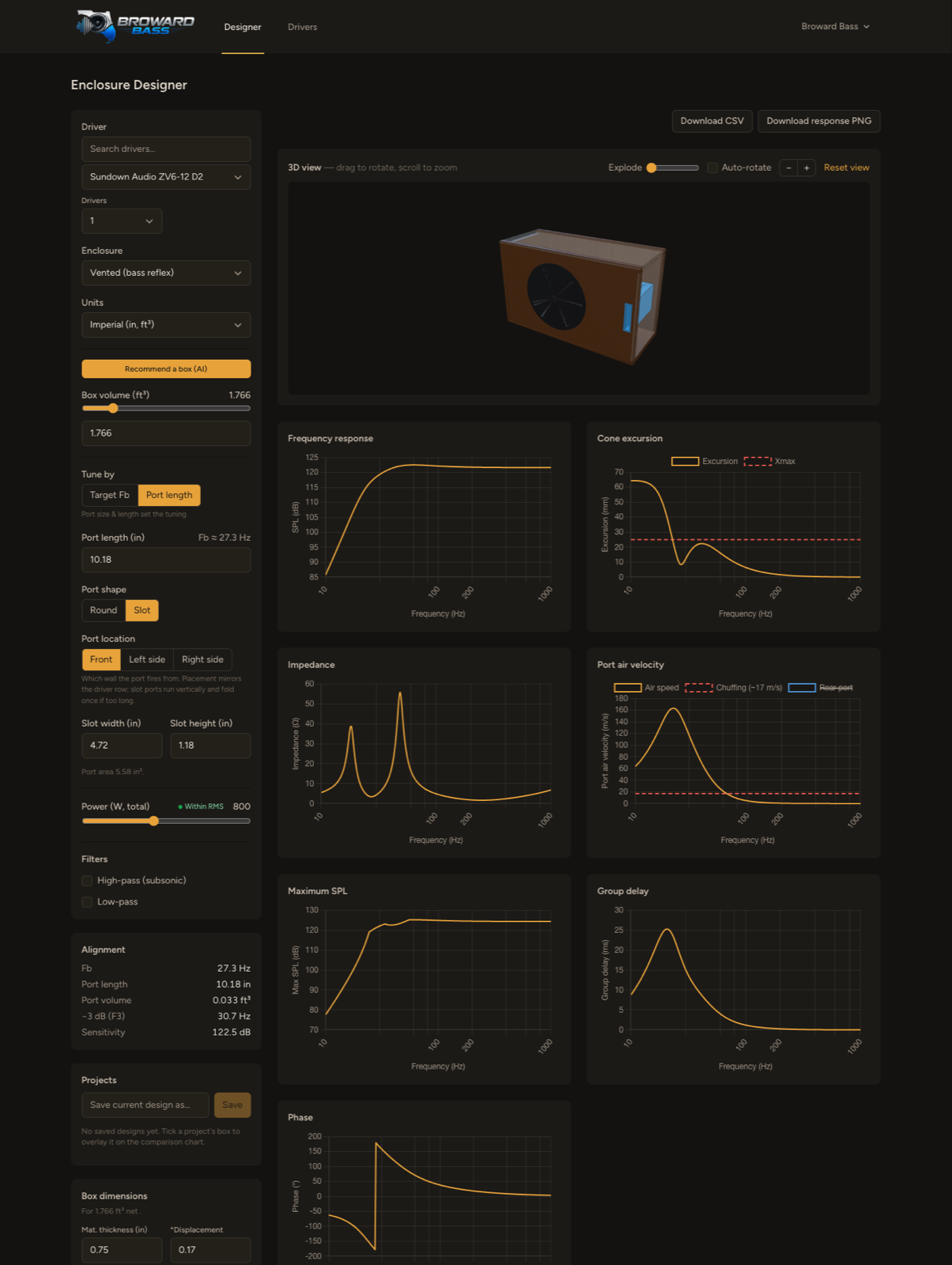
Design the box
Sealed, vented, 4th- and 6th-order bandpass, or passive radiator. Move volume, tuning, port geometry and power, and seven curves answer at once — response, max SPL, excursion, impedance, port air speed, group delay and phase — with a 3D view of the cabinet above them. Ask for a recommended starting box if you would rather not guess.
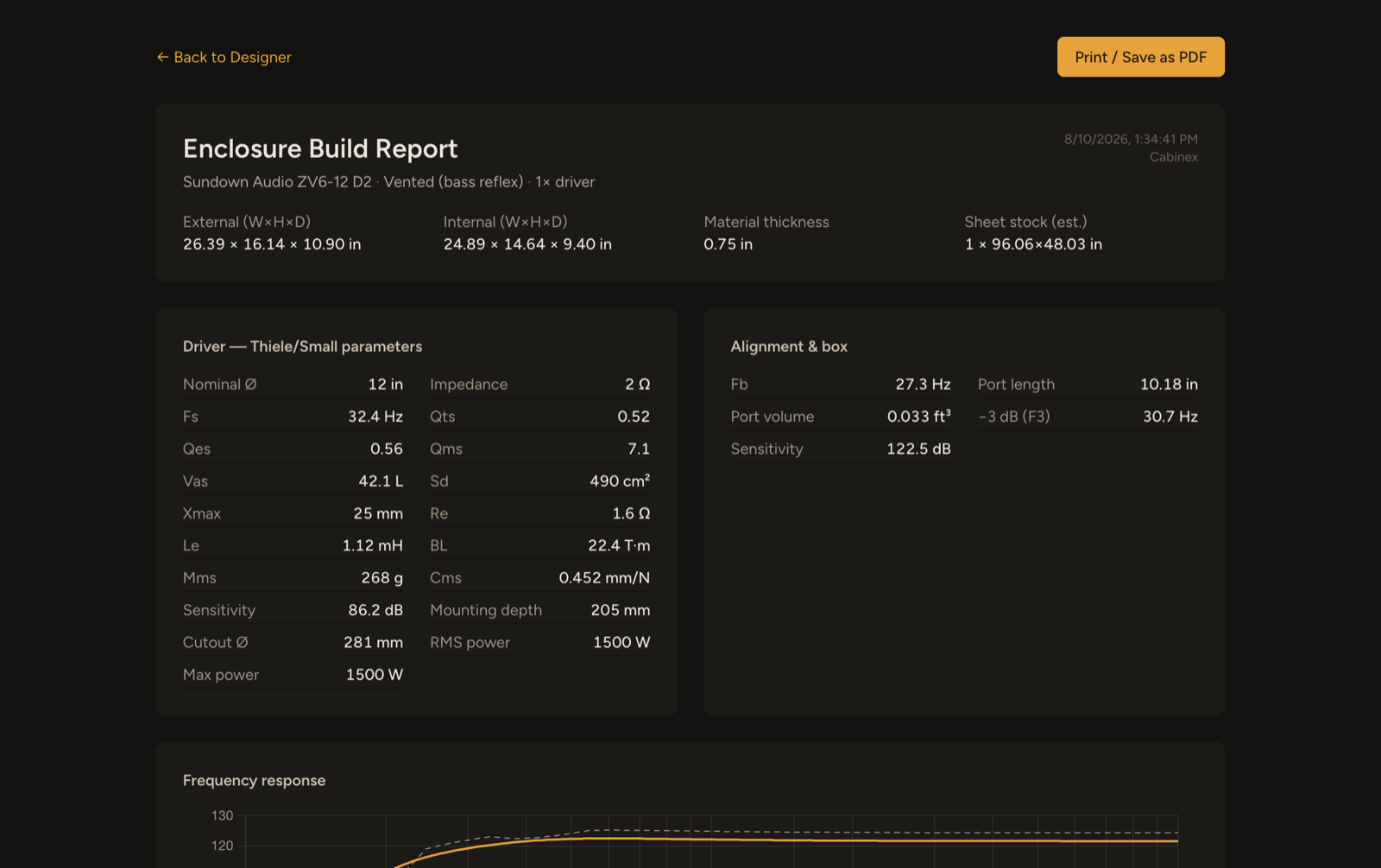
Get a build report, not a number
Every figure the design implies, on one printable page: external and internal dimensions, the full T/S set you designed against, the alignment and port length, and the response curve that goes with them.
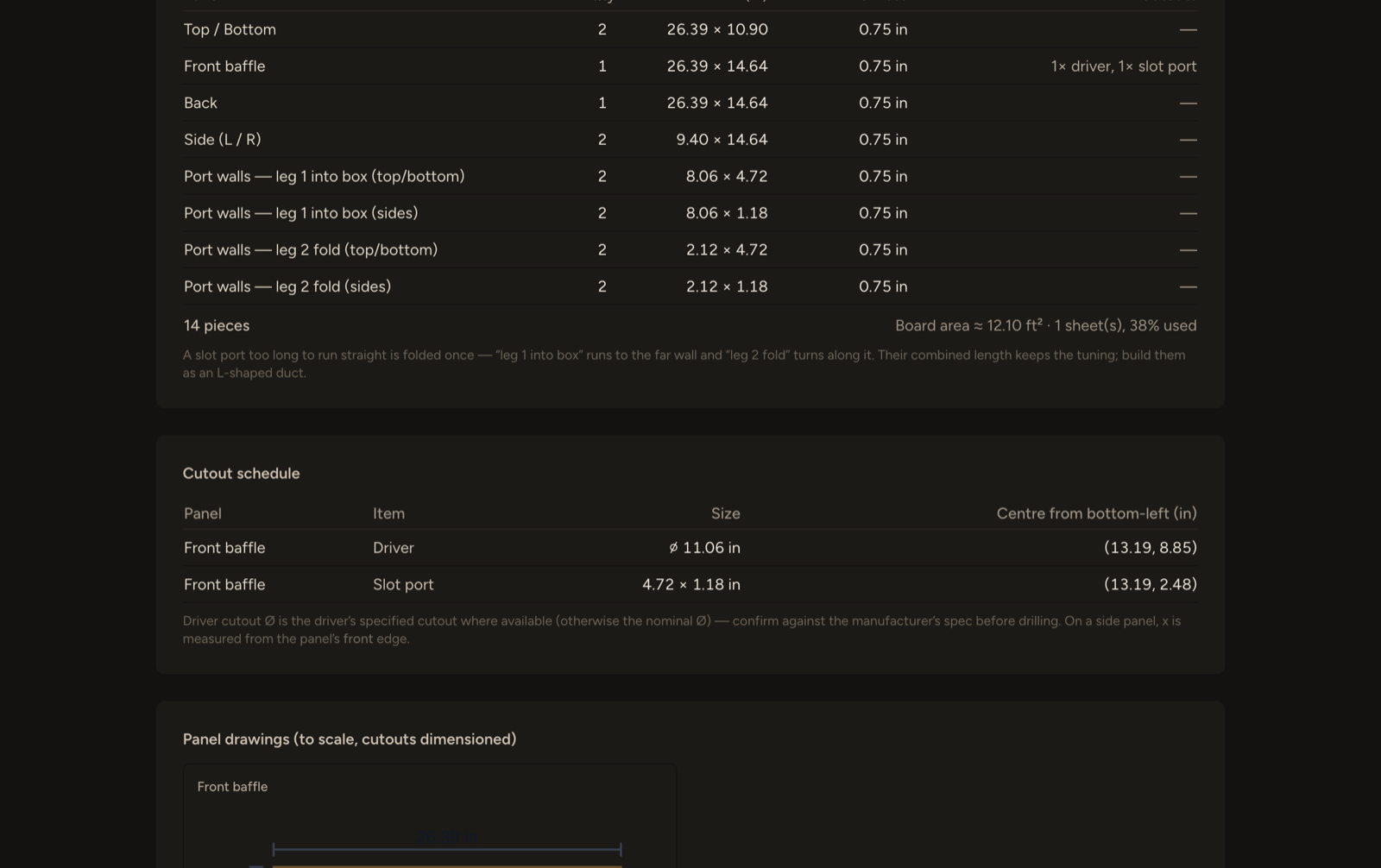
Take the panel list to the saw
Panels with quantities and cut sizes derived from your material thickness, a cutout schedule with centre coordinates, the port fold when a slot port is too long to run straight, dimensioned panel drawings, and a sheet-stock estimate. Print it or save it as a PDF.
What's in it
Every common alignment
Sealed, vented, 4th- and 6th-order bandpass, and passive radiator — each with the geometry that alignment actually needs.
Seven curves, live
SPL, max SPL, cone excursion, impedance, port air speed, group delay and phase, all recomputed as you drag.
Port reality checks
Chuffing thresholds on the air-speed plot, and a warning when the port is physically too long for the box you drew.
3D cabinet preview
The box, the driver cutout and the port duct, in the proportions you specified. Explode it to see how the panels meet.
A cut list that adds up
Butt-joint panel sizes derived from your material thickness, cutout centres, port fold, and a sheet-stock estimate.
Datasheet import
Paste a spec sheet or a product URL; the Thiele/Small parameters are pulled out and filled in for you.
Imperial or metric
Inches and cubic feet, or centimetres and litres — switched anywhere, including on the printed report.
Saved projects
Keep designs, and overlay them on one chart to compare alignments side by side.
Exports
Response curves as CSV, the chart as a PNG, the build report as a PDF through your browser.
Stop building the box twice.
Create an account, activate your Broward Bass license key, and start designing.